
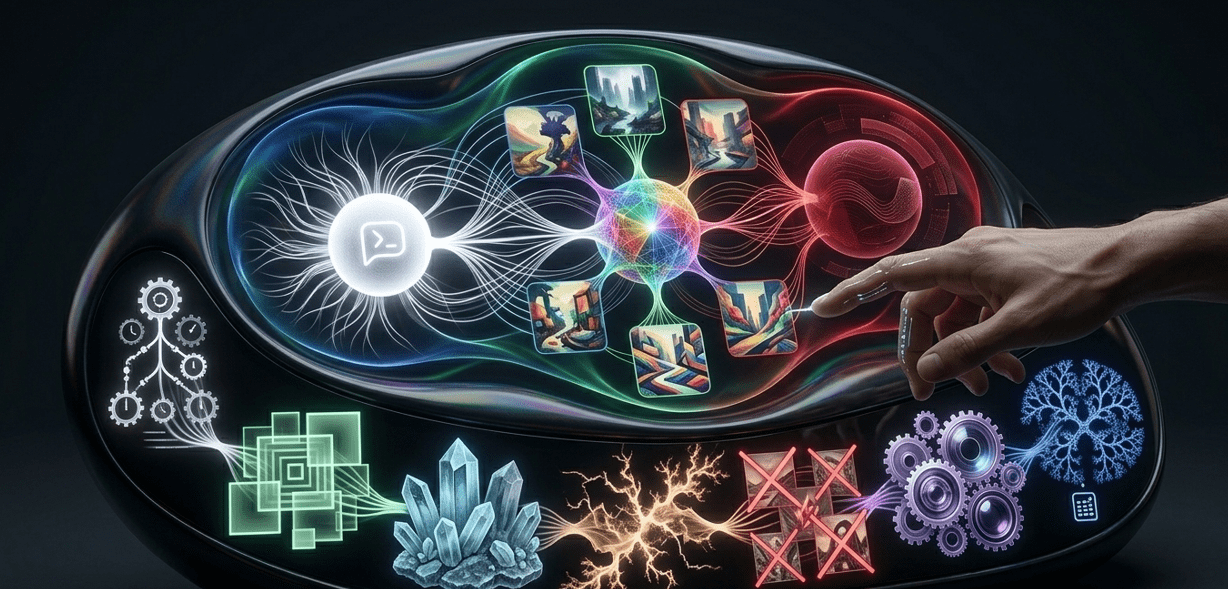
Midjourney is, by most accounts, the AI image generator that changed how people think about machine-generated art. The quality of its output — the texture, the lighting, the compositional intelligence — sits at a level that still surprises people the first time they use it. But it has a reputation for being harder to get started with than competing tools, and that reputation isn’t entirely undeserved.
This guide fixes that. By the end of it, you’ll know exactly how to use Midjourney, how to write prompts that actually work, which settings matter most, and how to move from your first image to a consistent, repeatable creative workflow.
What Is Midjourney?
Midjourney is an AI image generation tool that creates images from text descriptions — called prompts — using a diffusion model trained on a vast dataset of visual art, photography, and design. Unlike many competing tools, it operates primarily through Discord, which surprises most new users but becomes intuitive quickly once you understand the workflow.
What makes it stand out isn’t just the technical quality of output. It’s the aesthetic intelligence behind the tool — the way it interprets prompts with a visual sensibility that goes beyond simply combining keywords. Results consistently feel considered rather than generated. You can explore the platform at midjourney.com. If you’re evaluating how it compares to other AI image tools before committing, our Midjourney vs Leonardo AI comparison covers the key differences in depth.
Setting Up for the First Time
Getting started takes about five minutes.
First, you need a Discord account. If you don’t have one, creating a free account at discord.com takes under two minutes. Once you’re in Discord, go to midjourney.com and click “Join the Beta.” This takes you to the official server, where you’ll see several channels in the left sidebar.
From there, choose a subscription plan. The free tier was removed in 2024, so a paid subscription is required to start generating. The Basic plan begins at $10 per month, which gives you approximately 200 image generations. The Standard plan at $30 per month is where most regular users land — it includes roughly 900 fast GPU hours monthly, which translates to significantly more images without the queue times of lower-tier plans.
Once subscribed, you’re ready to generate your first image.
Your First Midjourney Prompt
Inside the Discord server, navigate to any of the “newbies” channels. In the message box, type /imagine and press space. A prompt field will appear. Type your description, hit enter, and the tool will begin generating four image variations within roughly 60 seconds.
Your first Midjourney prompt doesn’t need to be complex. Something like “a quiet mountain lake at sunrise, cinematic lighting, wide angle” is enough to see what the platform is capable of. The results will likely be better than you expected.
Below each set of four generated images, you’ll see buttons labeled U1–U4 and V1–V4. The U buttons Upscale the corresponding image, producing a higher-resolution final version. The V buttons create Variations — four new images based on the style and composition of whichever you selected. These two actions are the core workflow for most users.
Writing Prompts That Work
The gap between average and genuinely impressive results comes almost entirely down to prompting. Midjourney reads prompts differently from how most people write naturally, and understanding that difference changes your results immediately.
Be descriptive about what you want, not what you don’t want. The tool responds better to positive description than to negation. Instead of “a portrait without harsh shadows,” write “a portrait with soft diffused lighting, shallow depth of field.”
Specify style and medium. Adding terms like “oil painting,” “35mm film grain,” “brutalist architecture,” “editorial photography,” or “Studio Ghibli aesthetic” significantly shapes the output in the direction you intend.
Control mood through atmosphere. Words that describe light, time of day, weather, and environment carry significant weight. “Golden hour,” “overcast sky,” “neon-lit street,” and “foggy forest” each shift the emotional tone in ways that adjectives like “moody” or “dramatic” alone don’t.
Use aspect ratio parameters. By default, the tool generates square images. For most practical use cases — social media headers, website banners, portrait photography — you’ll want a different ratio. Add --ar 16:9 for widescreen, --ar 9:16 for vertical content, or --ar 4:3 for a more classic composition.
Parameters Worth Knowing
Midjourney’s parameters give you granular control over how the model interprets and executes your prompt. Full documentation is available at docs.midjourney.com, but the ones you’ll use most regularly are:
--v 6.1 sets the model version. The latest version as of 2026 produces the most realistic and detailed results. Always use the current version unless you have a specific reason not to.
--style raw removes the default aesthetic enhancement. Standard output applies a layer of visual polish that looks great but isn’t always what you want. Raw mode gives you something closer to a literal interpretation of your prompt — useful for product photography or architectural visualization.
--chaos followed by a number between 0 and 100 controls how varied the four initial images are from each other. Higher values produce more unexpected results. Lower values keep outputs closer together.
--no followed by a term excludes that element from the result. This is more effective than trying to avoid things through positive prompting alone.
Here’s a quick reference for the most useful parameters:
| Parameter | What It Does | Example |
|---|---|---|
| –ar | Sets aspect ratio | –ar 16:9 |
| –v | Sets model version | –v 6.1 |
| –style raw | Removes aesthetic polish | –style raw |
| –chaos | Controls output variation | –chaos 40 |
| –no | Excludes specific elements | –no text |
| –q | Sets render quality | –q 2 |
| –seed | Reproduces consistent results | –seed 12345 |
Pricing
The paid plans are structured around GPU time rather than a flat image count, which affects how you use the tool in practice.
The Basic plan at $10/month gives you around 200 image generations in fast mode — enough to evaluate the platform properly but limiting for anyone using it regularly. The Standard plan at $30/month is where most individual creators land, with generous fast GPU hours and unlimited slow-mode generations. The Pro plan at $60/month adds stealth mode for private generation and more concurrent fast jobs.
There is no free tier. If you want to explore zero-cost alternatives before committing, our post on free AI tools for content creators covers what’s available without spending anything.
Real-World Use Cases
The platform has found genuine utility across a wide range of creative and professional contexts.
Content creators and bloggers use it to produce custom featured images and thumbnail art without relying on stock photography. Our guide on AI tools for social media growth covers how it fits into a broader publishing workflow.
Brand designers and marketers use Midjourney to rapid-prototype visual concepts before committing to production assets. Generating twenty visual directions in the time it takes to sketch two is a meaningful shift in how early-stage creative work gets done.
Video and film creators use it for storyboarding, concept art, and scene visualization. For those extending into actual video generation, our AI video generation tutorial covers the tools that take static images into motion.
Architects and product designers rely on raw mode to produce photorealistic renderings that communicate design intent to clients without expensive 3D modeling for every concept.
Combining It With Other Tools
Midjourney works best as one part of a wider creative stack. Many designers export generated images into Canva for text overlay, layout work, and brand alignment — a workflow our professional Canva tutorial walks through in detail. Others feed the output into AI video tools to add motion and bring static images to life.
The key is understanding what the tool is genuinely best at — image generation, visual concept work, texture and lighting quality — and then using other tools for precision editing, text placement, or format conversion.
Final Thoughts
Midjourney rewards time invested in learning how to use it well. The first few sessions feel experimental. By the tenth session, you start to develop an intuition for how the model interprets language, which prompts produce what kinds of results, and which parameters to reach for when the output isn’t quite right.
That learning curve is shorter than its reputation suggests, and the ceiling is higher than most other tools in the category. Whether for personal creative work, professional content production, or commercial design, it’s the AI image generator that justifies learning properly.
As you build a broader toolkit around it, our guide on best AI tools for productivity shows how Midjourney fits alongside everything else in a well-rounded workflow for 2026.