
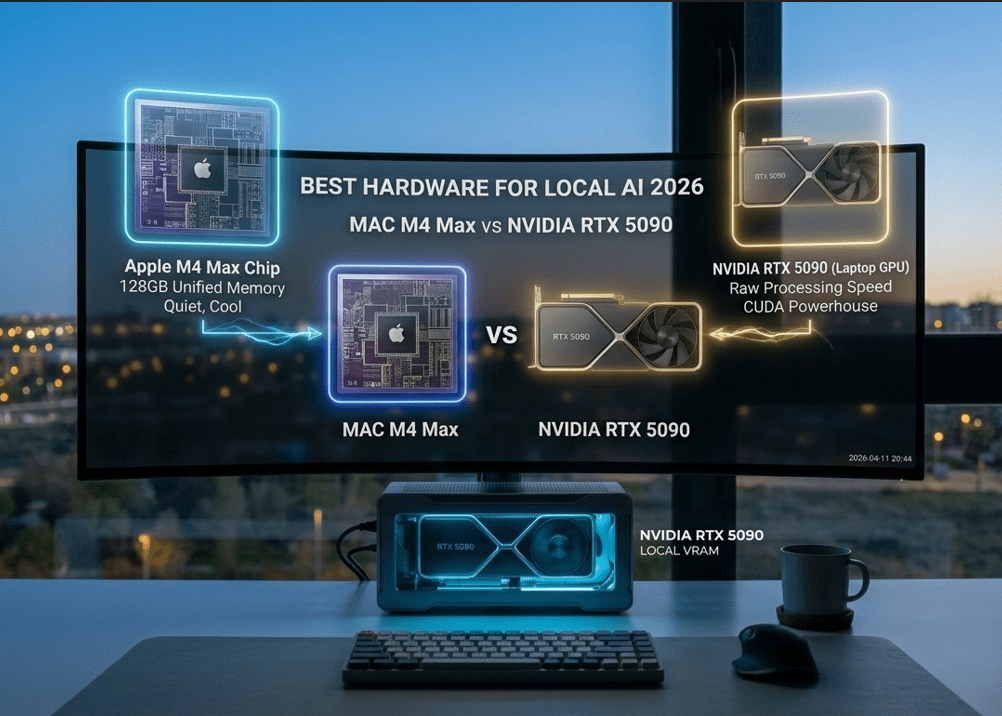
I still remember the frustration of 2024: downloading a promising new open-source model only to watch my laptop fans scream in agony while it spat out one word every five seconds. Back then, we were obsessed with cloud APIs. But today, in 2026, the real power players have moved their intelligence “on-prem.” The question is no longer if you should run models locally, but what is the Best Hardware for Local AI 2026 to ensure you aren’t waiting an eternity for a response.
Choosing between a high-end MacBook Pro and a beefy Windows laptop with the new NVIDIA RTX 5090 isn’t just a matter of “Mac vs. PC” anymore. It’s a fundamental choice about how you want to interact with artificial intelligence. Do you need the raw, unbridled speed of CUDA cores, or do you need the massive, unified memory pool that only Apple Silicon provides? In this deep dive, we compare the titans to find the absolute Best Hardware for Local AI 2026.
The VRAM Trap: Why Memory is King in 2026
If you’ve been following our journey into the Best Local LLM Runners 2026, you already know that Large Language Models (LLMs) are memory-hungry beasts. When looking for the Best Hardware for Local AI 2026, the most important metric isn’t clock speed—it’s VRAM (Video RAM).
In 2026, models like Llama-4 or the latest Mistral releases have grown in sophistication. To run a high-quality 70B parameter model with a decent context window, you need more than 40GB of memory. This is where the hardware landscape splits. A laptop with an NVIDIA RTX 5090 is a speed demon, but it is often physically limited to 16GB or 24GB of VRAM. Meanwhile, a MacBook M4 Max can be configured with up to 128GB of Unified Memory, making it a strong contender for the title of Best Hardware for Local AI 2026 for those working with massive datasets.
1. Apple MacBook Pro M4 Max: The Unified Memory Beast
Apple has fundamentally changed the game with its unified memory architecture. Unlike traditional PCs where the CPU and GPU have separate memory pools, the M4 Max chip allows the GPU to tap into the entire system RAM.
Why it wins for Local AI:
When you search for the Best Hardware for Local AI 2026, the MacBook M4 Max stands out because of its “headroom.” You can load an entire 120B parameter model into memory and still have 8GB left for your browser. It’s quiet, it runs cool, and it maintains incredible performance even when unplugged. For the digital nomad who needs to Build Your First Multi-Agent AI Team 2026, the Mac is arguably the most versatile Best Hardware for Local AI 2026.
2. NVIDIA RTX 5090 Laptops: The Raw Powerhouse
On the other side of the fence, we have the raw industrial power of NVIDIA. The RTX 5090 mobile chip is built on the Blackwell architecture, featuring specialized Tensor Cores that are lightyears ahead of anything else in terms of raw math.
Why it wins for Local AI:
If you are training models, fine-tuning them with LoRA, or running heavy image generation (Stable Diffusion Ultra), the RTX 5090 is the Best Hardware for Local AI 2026. It uses CUDA, the “language of AI,” which is still the industry standard for compatibility. While the MacBook might be able to fit larger models, the RTX 5090 will process the ones it can fit significantly faster. Speed enthusiasts often cite the 5090 as the definitive Best Hardware for Local AI 2026.
Technical Showdown: M4 Max vs. RTX 5090 Mobile
The Efficiency Factor: AI on the Go
In 2026, mobility is a professional requirement. One of the hidden costs of the Best Hardware for Local AI 2026 is power consumption. An RTX 5090 laptop is essentially a portable space heater. To get full performance, you must be tethered to a 330W power brick.
The MacBook M4 Max, however, redefined what we expect from the Best Hardware for Local AI 2026 in terms of efficiency. You can run complex inference tasks on a 10-hour flight without breaking a sweat. If your work involves Automating Inbox Zero with AI Agents while traveling, the power-per-watt of the M4 Max is a deciding factor.
Software Compatibility: CUDA vs. MLX
Hardware is only half the battle. When choosing the Best Hardware for Local AI 2026, you must consider the ecosystem.
- NVIDIA (CUDA): Almost every AI research paper ever written was optimized for NVIDIA. It just works. Period.
- Apple (MLX): Apple’s open-source MLX framework has matured beautifully in 2026. It allows the M4 Max to perform matrix operations with startling efficiency, but some niche models still require “tweaking” to run as well as they do on Windows.
Despite the gap closing, NVIDIA remains the “safest” choice for the Best Hardware for Local AI 2026 if you are a developer who wants zero friction with new GitHub repositories.
Storage and Bandwidth: The “Bottleneck” Check
Don’t let a slow SSD ruin your Best Hardware for Local AI 2026 experience. Loading a 50GB model into memory takes time.
- The M4 Max features memory bandwidth of over 500GB/s, which is absurdly fast.
- High-end Windows laptops now utilize PCIe Gen 5 SSDs, matching that speed.
When you configure your Best Hardware for Local AI 2026, ensure you have at least 2TB of storage. Local AI isn’t just about RAM; it’s about having a “library” of models ready to swap in and out.
Troubleshooting: Why is my AI slow?
If you’ve invested in the Best Hardware for Local AI 2026 and it’s still lagging, check your quantization. Running a model in “FP16” (full precision) will choke almost any laptop. In 2026, the standard is 4-bit or 6-bit quantization (GGUF or EXL2 formats). This allows the Best Hardware for Local AI 2026 to punch way above its weight class, delivering lightning-fast responses without losing noticeable intelligence.
Privacy Deep Dive: Local Hardware as a Vault
The ultimate reason to invest in the Best Hardware for Local AI 2026 is security. As we discussed in our Apple Intelligence vs Microsoft Copilot analysis, cloud-based AI is always “phoning home.”
When you own the Best Hardware for Local AI 2026, you own your data. You can physically disconnect your Wi-Fi card and your personal assistant will still know your business strategy, your client names, and your proprietary code. This “Air-Gapped” intelligence is the gold standard of 2026.
Frequently Asked Questions (FAQ)
Can I run Llama-4 70B on an 8GB laptop? No. To run a model of that size, you need the Best Hardware for Local AI 2026 with at least 48GB of RAM/VRAM. Anything less will result in “offloading” to the CPU, which is painfully slow.
Is it better to buy a desktop or a laptop for AI in 2026? A desktop with dual RTX 5090s is the true king of speed. however, for professionals who need a “portable brain,” the laptops discussed here represent the Best Hardware for Local AI 2026.
Does the NPU (Neural Processing Unit) matter? In 2026, yes. Both the M4 Max and the new Intel/AMD chips have dedicated NPUs for “background” AI tasks (like blurring your webcam or transcribing audio), leaving the GPU free for the heavy LLM work. This multi-processor approach is a hallmark of the Best Hardware for Local AI 2026.
My Honest Take: The Choice is Personal
After testing both extensively, here is my verdict for 2026.
If you are a Creative or an Executive who wants a silent, beautiful machine that can run the largest models available (even if they are a bit slower), the MacBook M4 Max is the Best Hardware for Local AI 2026. The 128GB Unified Memory is a “superpower” that NVIDIA laptops simply cannot match yet.
However, if you are a Developer or a Researcher who lives in the terminal and needs the fastest possible “Time to First Token,” the NVIDIA RTX 5090 is your weapon of choice. It is the raw, bleeding edge of the Best Hardware for Local AI 2026.
Stop renting your intelligence from a cloud provider. Invest in your own silicon. Whether you choose Mac or PC, owning the Best Hardware for Local AI 2026 is the smartest career move you can make this year.